


50% of Assets Created by Brands Are Never Activated
Maximize the assets used by brands and agencies in your martech stack.
If the title of this blog didn’t catch your attention, what if I told you that 50% of inactive assets equates to over $90 billion in waste for Marketers globally? (techreport.com, Marketing Insider Group)
Additionally, 76% of companies cannot easily find and store assets and 79% of companies find it difficult to measure content performance and gather insights (McKinsey). And with 50% of marketers creating at least 10 different web experiences for their audiences across various channels (Gartner), there’s a growing problem that few marketers have the tools to address.
Data relationships are easily lost across the campaign process, making it difficult to measure the performance of content and creative assets. But this waste doesn’t have to be a part of your reality.
Claravine enables you to measure if assets are activated, and if they’re reused. We create and maintain an end-to-end creative chain of custody, meaning metadata stays intact across planning, creation, activation, delivery, and all the way to reporting so that you can measure performance.
How? After generating unique Content IDs, Claravine creates asset similarity scores, allowing for the identification and comparison of assets across the content supply chain.
Using AI computer vision, Claravine’s technology analyzes an asset — its size, shape, orientation, quality, composition, aboutness — and assigns a Content ID that uniquely identifies that specific asset. This is important as the ID can detect, locate, track and compare content and creative that is the same anywhere it appears across your datasets and your martech ecosystem – enabling clean-up, validation and connection of data. The Claravine Content ID will be maintained as the global source of truth even if an asset name, URL or metadata were to change.
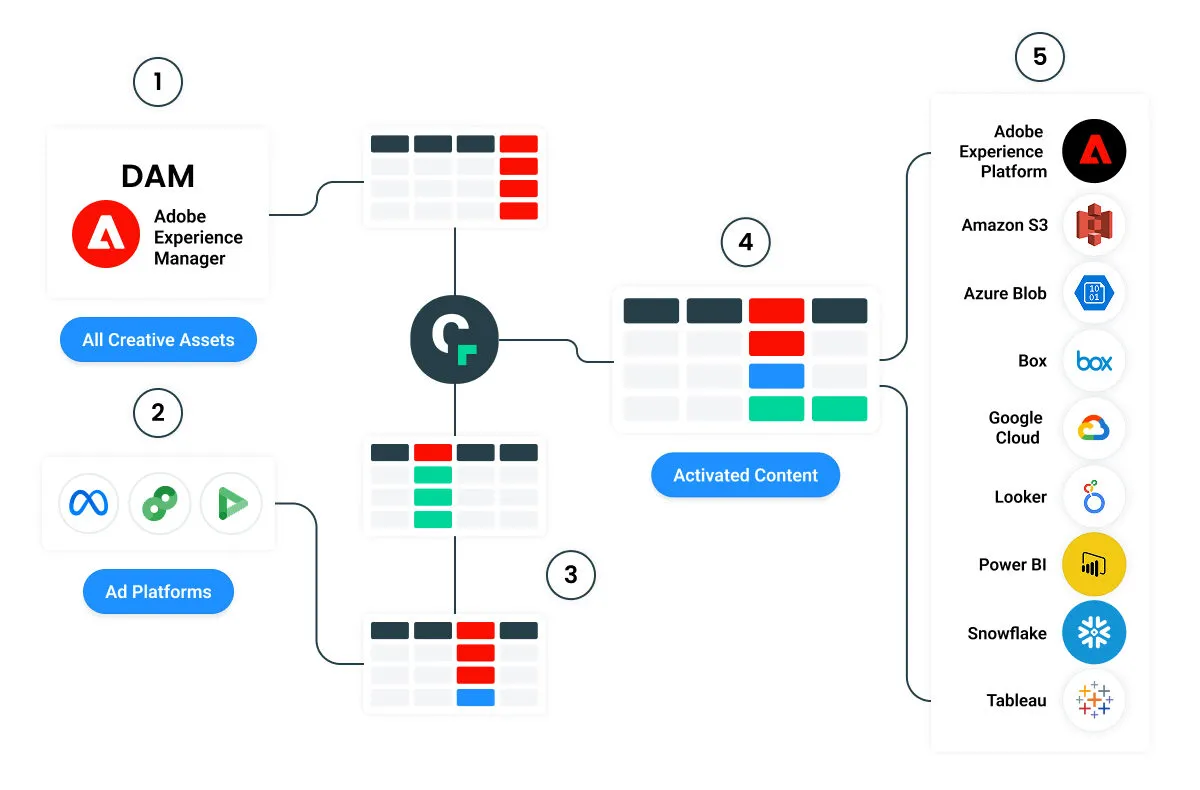
Step 1
Connect your Digital Asset Manager (DAM) – where you store and organize all your creative assets for your ads i.e. your media files like images, videos, and logos – to Claravine’s platform. We can connect to a variety of DAMs, including Adobe Experience Manager, and can generate unique Content IDs for all your creative assets. This step is already helpful to duplicate your asset in your DAM.
Step 2
Connect your ad platforms, including Meta, Google Campaign Manager 360, and Google Display and Video 360 to the Claravine platform.
Step 3
Claravine AI generates Content IDs for assets & content activations wherever that asset appears.
Step 4
Content IDs assigned to each asset wherever it appears can be sorted, matched and compared across every system and phase of work.
Step 5
The result? You’re finally able to analyze your content activation and identify where waste has occurred. Instead of assets sitting unused and adding to the asset pile, you can correct, fix and reuse assets to maximize what’s created and used by brands and agencies, by channel, and end-to-end in your martech stack.
How are Content IDs generated by Claravine AI?
We use Claravine AI’s computer vision to analyze an asset — its size, shape, orientation, quality, composition — and assign a Content ID that uniquely identifies that specific asset. In order to do so, our AI performs a cluster analysis using a vector associated with a digital asset to determine whether a new digital asset has a given relationship to a digital asset within the library of pre-existing digital assets.
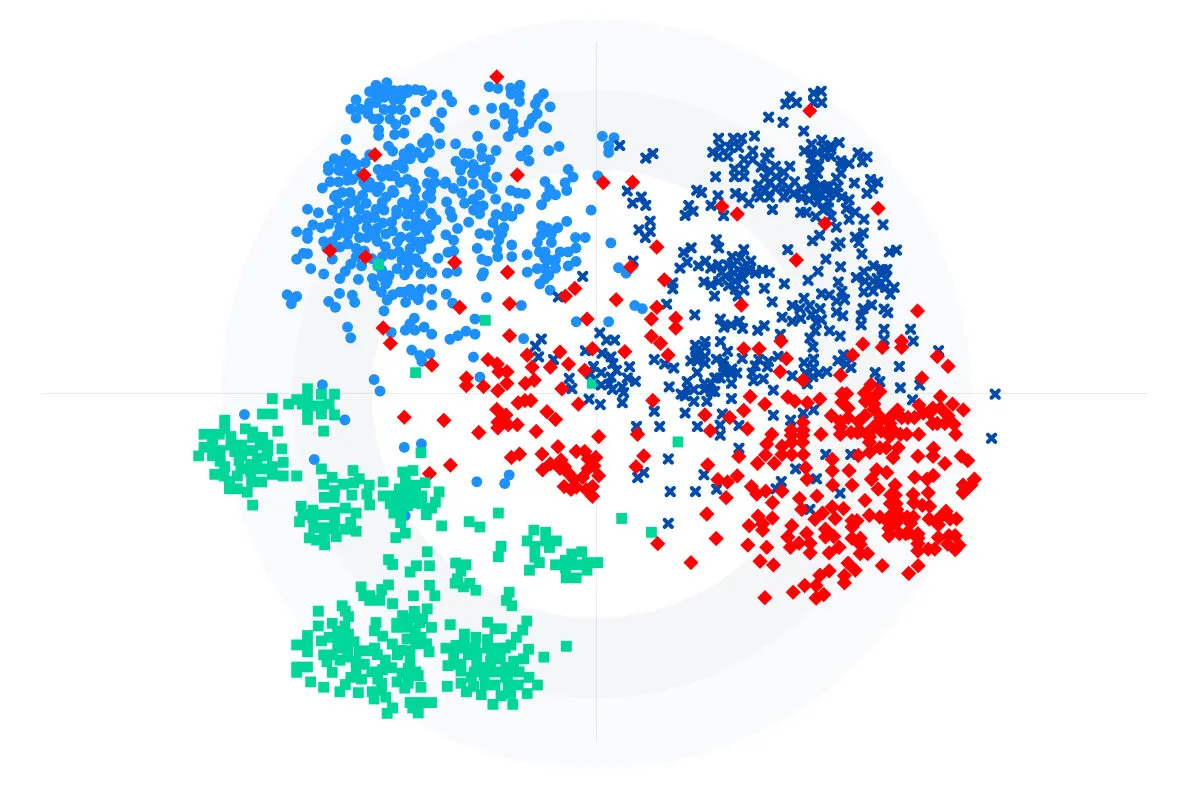
The result is a unique ID for each asset available in Claravine, connecting the ID and associated metadata wherever that asset appears – from your DAM to your Ad Platforms.
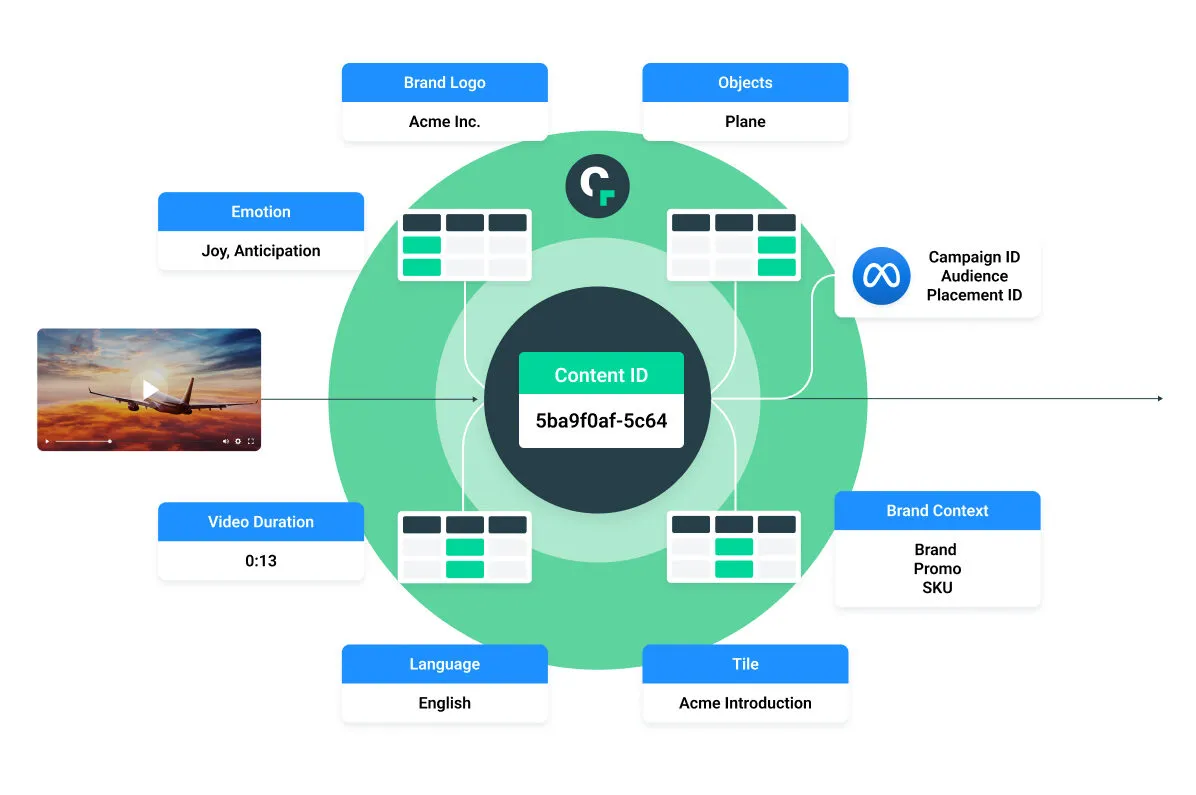
This means the same asset in your DAM or Ad Platform will be assigned the same Content ID, indicating that the asset was activated:
In Adobe Experience Manager:
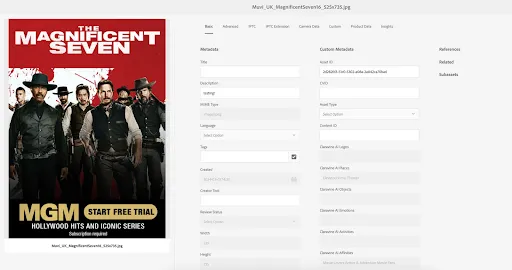
In the Claravine template associated with your DAM, connected to Adobe Experience Manager:
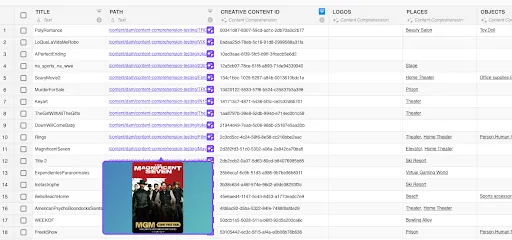
In the Claravine template associated with your Ad Platform:
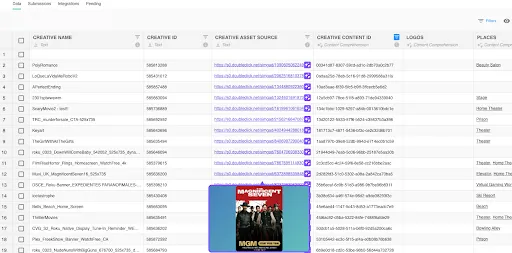
With Claravine datasets, you’ll no longer have assets sitting unused. You can correct, fix and reuse assets to maximize what’s created and used by brands and agencies, by channel, and end-to-end in your martech stack.
Interested in learning more? Start with What is the content supply chain (and how to enhance it).